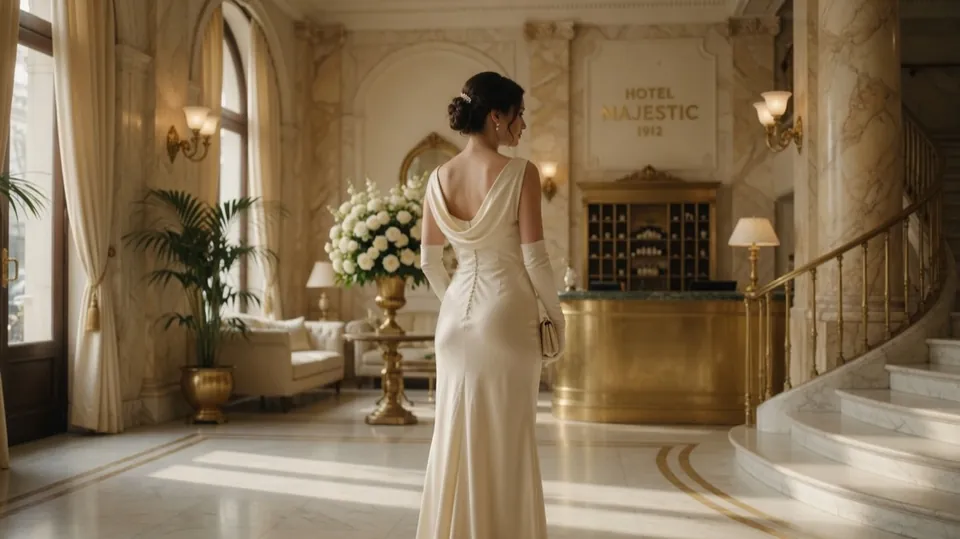
 have her turn and walk toward the camera
Drag the divider to compare the original and result.
Studio
Image to Video
Animate a photo into a cinematic clip
Your content, reimagined
Upload your photo in the app, then describe the change you want. Use a preset below for a little inspiration.
Available in the GO AI app
Take this idea with you and create on your phone.
Open in the GO AI appA place to start 64
Ready-to-use prompts. Open one to see the details.
Animate the image with a subtle parallax effect: the foreground drifts slightly while the background shifts at a slower rate, creating quiet depth.
Slowly zoom into the center of the image with a smooth, steady camera push-in and a hint of natural breathing motion.
Slowly pull the camera back to reveal more of the scene, with gentle framing drift and smooth, cinematic pacing.
Pan the camera smoothly to the left, revealing new parts of the scene with subtle parallax and no sudden motion.
Pan the camera smoothly to the right, with steady tracking and a gentle, cinematic feel.
Orbit the camera slowly around the main subject, keeping it centered while the background rotates smoothly behind it.