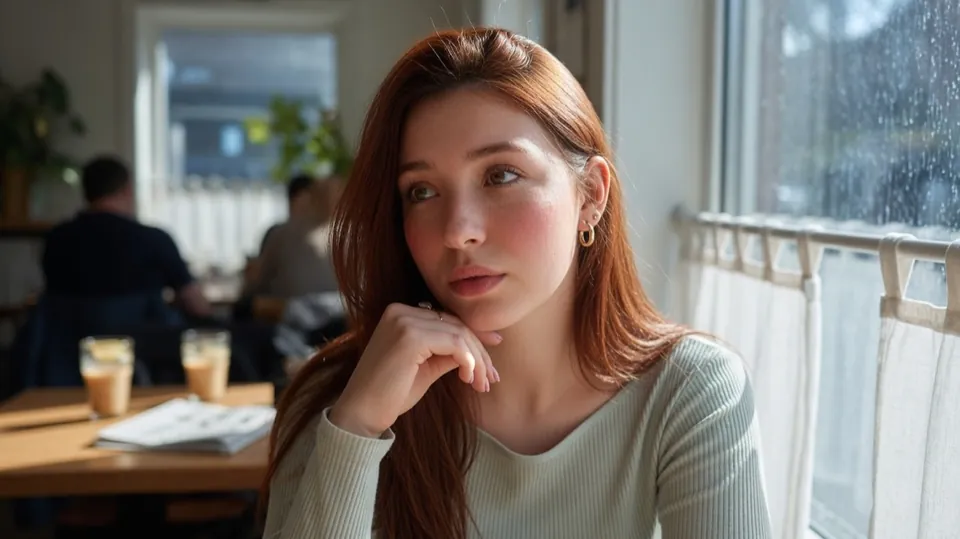
 make her hair blonde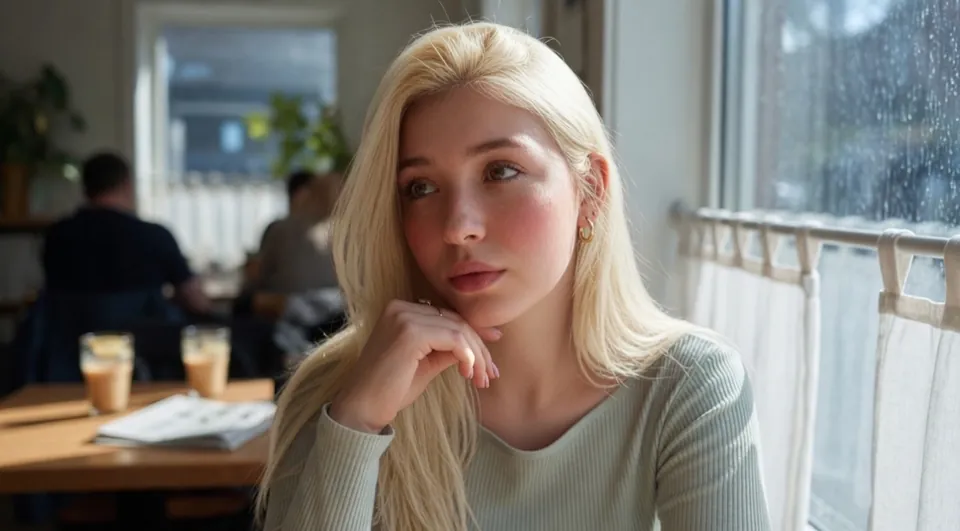
Drag the divider to compare the original and result.
Studio
Edit Image
Transform or edit an existing image
Your content, reimagined
Upload your photo in the app, then describe the change you want. Use a preset below for a little inspiration.
Available in the GO AI app
Take this idea with you and create on your phone.
Open in the GO AI appA place to start 90
Ready-to-use prompts. Open one to see the details.
Enhance the photo: sharpen fine detail, recover highlight and shadow detail, clean up noise, and improve overall clarity while keeping colors natural.
Remove the background cleanly around the main subject. Preserve crisp edges on hair and fine details, and output the subject on a transparent background.
Replace the background with a bright, softly blurred studio backdrop. Keep the subject's lighting, color, and edges consistent with the new scene.
Colorize this black-and-white photo with natural, period-appropriate colors. Keep skin tones realistic and preserve the original lighting and contrast.
Restore this old photo: remove scratches, dust, and creases, fix fading, recover detail in faces, and gently sharpen while keeping a natural finish.
Transform the image into a friendly cartoon illustration with clean outlines, flat shading, simplified shapes, and expressive features while keeping the likeness.